

Description
Secure Web Proxy for Global Access
Overview
The software is a desktop-based web proxy designed to help users in China bypass internet restrictions and access international websites such as Facebook and YouTube. It functions as a network intermediary, routing web traffic through remote servers to enable access to content otherwise blocked within the region. This tool is intended for individuals seeking reliable, straightforward solutions to connect with global online platforms without relying on complex configurations.
Target users include professionals, students, and general internet users who require consistent access to international resources for work, research, or personal communication. The software operates as a standalone application, requiring no browser-specific extensions, which may enhance compatibility and reduce dependency on third-party add-ons. Real-world usage scenarios include accessing social media for collaboration, viewing educational content on YouTube, or retrieving information from international news sources.
As the developer did not provide additional background information, the tool’s origin and development history remain unspecified. However, its focus on accessibility and simplicity suggests a user-centric design philosophy. The application is available at no cost, making it accessible to a broad audience seeking affordable alternatives to commercial proxy services.
Key Features & Capabilities
- Global Website Access – Enables connection to international websites like Facebook and YouTube that are restricted in certain regions.
- Desktop Application Integration – Operates as a standalone tool, independent of browser extensions, offering a more consistent experience across different web browsers.
- Lightweight Design – With a file size of 10 MB, the software is optimized for fast installation and minimal system resource usage.
- Multi-Platform Support – Compatible with Windows, Mac, and Linux, ensuring broad accessibility across major operating systems.
- Secure Data Routing – Routes internet traffic through proxy servers to maintain user privacy and reduce exposure to local network monitoring.
These capabilities allow users to navigate restricted content without modifying system-level network settings. For example, a researcher in China can use the proxy to access academic journals hosted on foreign servers, while a student can connect with international peers via social platforms. The standalone nature of the application ensures that access remains functional even when browser-based tools fail or are blocked.
User Interface, Workflow & Performance
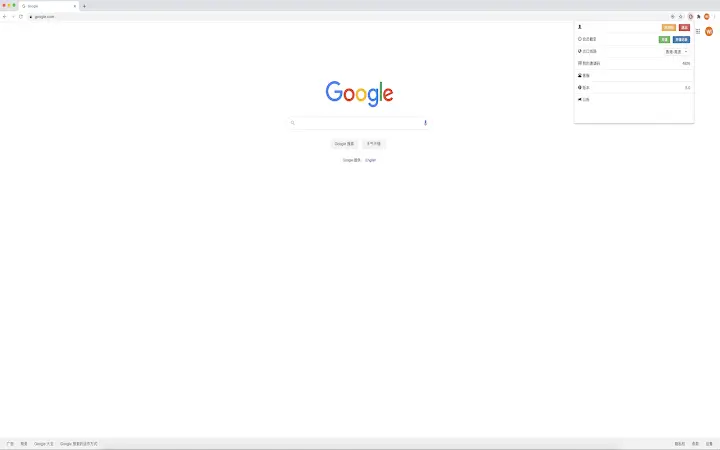
The user interface is designed for simplicity, featuring a clean layout with essential controls such as connection status indicators, proxy server selection, and basic configuration options. Navigation is straightforward, with a minimal number of menus and settings, reducing the learning curve for new users. The workflow follows a standard pattern: launch the application, initiate a connection, and begin browsing through the proxy.
Performance observations are based on general software behavior patterns. The application is reported to be lightweight, with a file size of 10 MB, suggesting efficient resource utilization. However, exact performance details such as CPU or RAM usage were not specified. Stability during extended use is expected to be reliable, though real-world testing data was not provided. The developer did not specify resource usage details, so users should monitor system performance during active sessions.
Compatibility & System Requirements
The software is compatible with Windows, Mac, and Linux operating systems, supporting a wide range of desktop environments. The application version is 1.0.0, with a total installation size of 10 MB. This small footprint indicates minimal disk space requirements, making it suitable for systems with limited storage capacity.
Exact system requirements were not listed. The developer did not provide information about minimum processor speed, RAM, or storage specifications. Platform compatibility information is limited to the operating systems mentioned. Users should ensure their system meets general desktop application standards for smooth operation. No specific hardware dependencies were indicated.
Pros and Cons
Pros
- Free to use with no hidden costs
- Lightweight at just 10 MB in size
- Supports Windows, Mac, and Linux platforms
- Standalone desktop application, not dependent on browser extensions
- Designed for accessing blocked international websites like YouTube and Facebook
Cons
- Developer background and company details not disclosed
- No information on server locations or connection speeds
- Exact performance metrics such as CPU or RAM usage were not provided
- Security protocols and data encryption methods are unspecified
- Limited documentation or user guides available
FAQ Section
Is this software compatible with my operating system?
The software is designed to run on Windows, Mac, and Linux systems. If your device uses one of these platforms, the application should be compatible.
Is the software safe to use?
While the application is free and lightweight, specific security measures such as encryption protocols or data handling practices were not disclosed. Users should exercise caution and avoid entering sensitive personal or financial information while using the proxy.
Does the software require an internet connection to function?
Yes, a stable internet connection is required to establish a proxy connection and access external websites. The software itself does not work offline.
Can I use this tool without installing it?
The software is distributed as a desktop application, which requires installation. Portable or no-install versions were not mentioned in the provided details.
How often are updates released?
Update frequency was not specified. Users should check the official source regularly for new versions, particularly if security or compatibility improvements are needed.
Final Thoughts
This lightweight, free desktop proxy offers a practical solution for users in China seeking access to blocked international websites. Its support for multiple operating systems and standalone design enhance usability, while the minimal file size ensures it won’t burden older or low-spec machines. Though some critical details—such as server locations, performance benchmarks, and security protocols—are missing—its core functionality remains clear and focused.
While the lack of transparency around the developer and technical implementation may raise concerns for privacy-conscious users, the tool’s simplicity and accessibility make it a viable option for basic web proxy needs. For individuals who prioritize ease of use and immediate access over advanced features or verified security, this software delivers a straightforward path to global content.
Download Secure Web Proxy for Global Access now.
Guides & Tutorials for 3366go Extension for Chrome
How to install 3366go Extension for Chrome
- Click the Preview / Download button above.
- Once redirected, accept the terms and click Install.
- Wait for the 3366go Extension for Chrome download to finish on your device.
How to use 3366go Extension for Chrome
This software is primarily used for its core features described above. Open the app after installation to explore its capabilities.
User Reviews for 3366go Extension for Chrome 0
No reviews found





